
 Coming soon ‑ csby GM Infotech · Built for Shopify
Coming soon and under construction page for Shopify
Hide your store while you build, restock or plan a drop. Show a countdown to launch day, collect emails from early visitors and open the store automatically when the timer ends.
Are you 21 or older?
You must be of legal age to enter this store.
Something new is coming
We’re restocking the autumn edit. Join the list and get first access.
Turn downtime into a launch list
A good coming soon page keeps visitors interested and gives you buyers on day one.
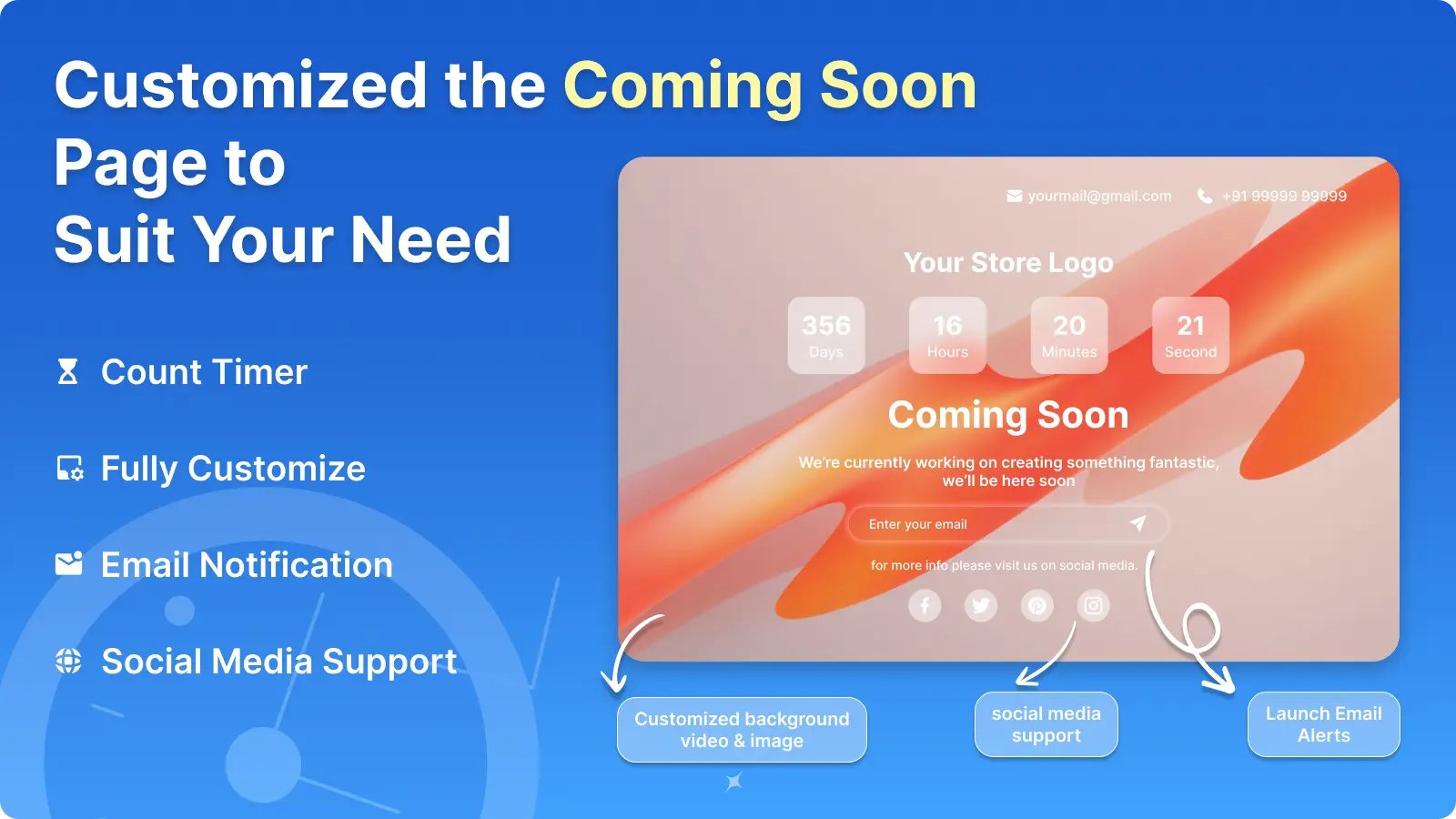
Countdown timers
Show days, hours, minutes and seconds to launch, in several timer styles.
Auto schedule
Turn the page on and off by date and time, or every day at set hours.
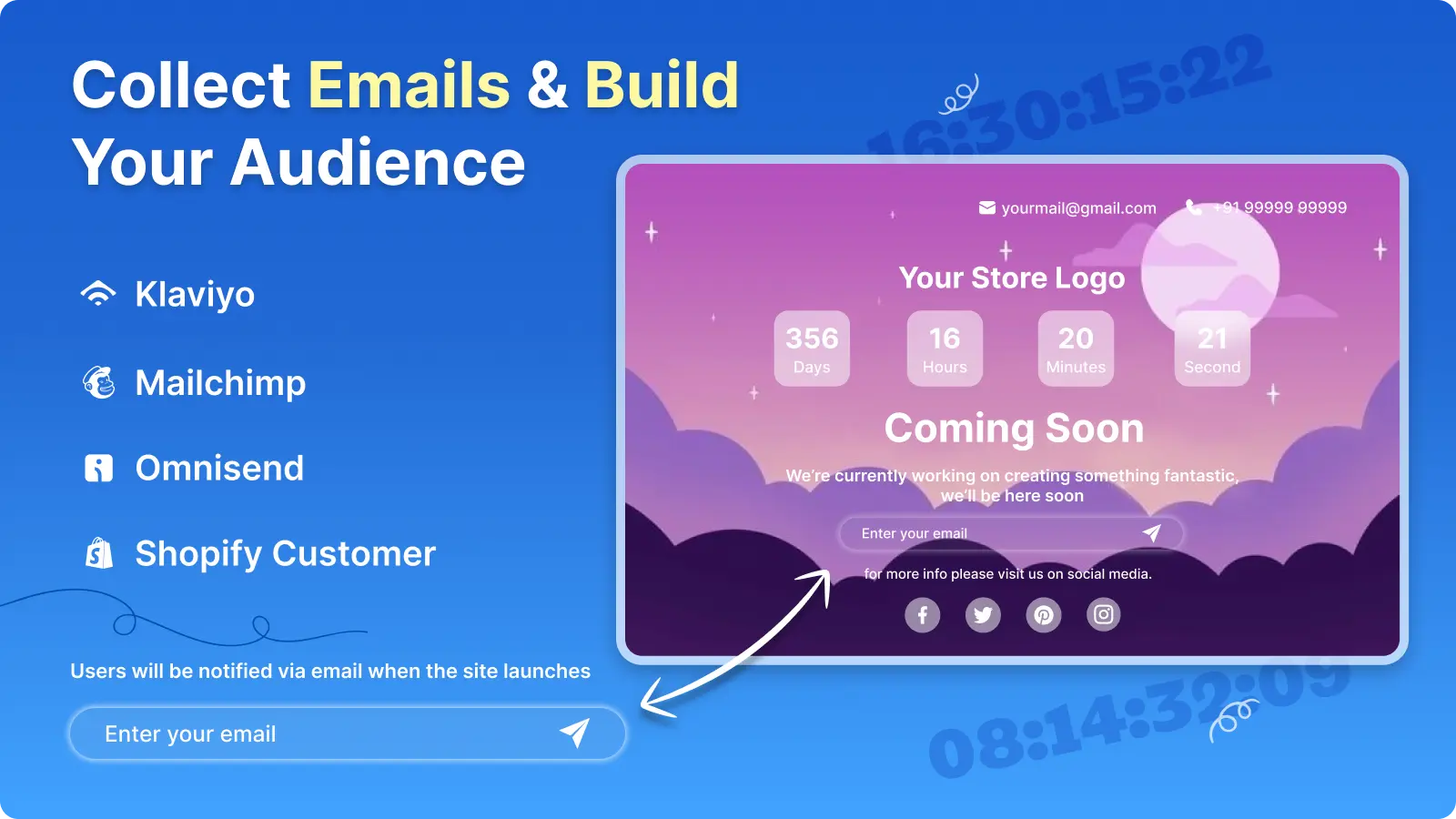
Email capture
Collect launch alerts into Klaviyo, Mailchimp, Omnisend or Shopify customers.
Drag-and-drop builder
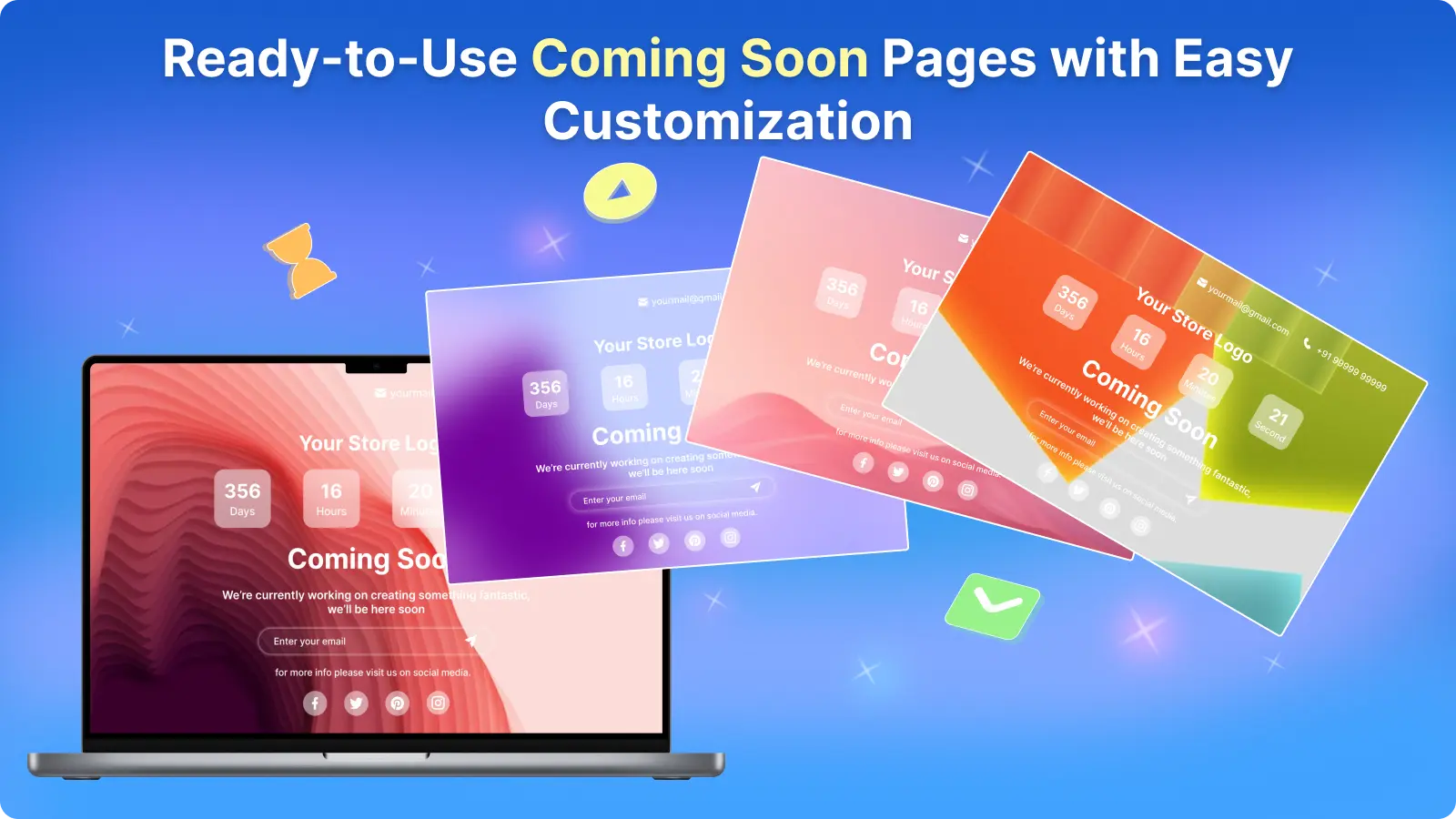
Start from a ready template, then move logo, text, timer and form around.
Video and animated backgrounds
Use your own image or video, or a live animated background.
Hide specific pages
Premium shows the page only on certain URLs, collections, products or tags.
Designs you can launch today

For every time the store isn’t ready yet
One merchant uses it as a “Latest Drop” page. Others run it while they rebuild their theme.
Set up in a few minutes
No code, no theme edits. If you get stuck, our team will set it up for you over chat.
Install Coming Soon from the Shopify App Store
It’s free on development and partner stores.
Pick a template
Choose a design and add your logo, text and launch date.
Connect your email tool
Send signups to Klaviyo, Mailchimp, Omnisend or Shopify customers.
Turn it on or schedule it
Go live now or set the dates and let it switch itself.
Simple pricing
Save 25% when you pay yearly.
Partner stores
Development and partner stores
- Every feature unlocked
- For development and partner stores
Basic
A full coming soon page
- Coming soon page
- Under construction page
- Fully customizable design
- Countdown timer
- Email integrations
- Custom video and image
Premium
Hide only parts of the store
- Everything in Basic
- Specific URL targeting
- Collection, product and tag targeting
All charges are billed in USD by Shopify. Recurring charges are billed every 30 days.
Rated 4.5 out of 5 by 99 merchants
From the reviews on the Shopify App Store.
Great experience, I’m using the page as a “Latest Drop” page and it looks great.
Great app! Create a beautiful launch page or under-construction page within minutes.
Coming soon page questions
How do I put my Shopify store in coming soon mode?
Install the app, pick a template, add your launch date and turn it on. Visitors see the coming soon page while you keep working on the store.
Can I still see my store while the page is on?
Yes. You can preview and edit your store from the Shopify admin while visitors see the coming soon page.
Can the page turn off on its own?
Yes. Set a date and time, or a daily schedule, and the page switches on and off automatically.
Which email tools does it work with?
Klaviyo, Mailchimp, Omnisend and Shopify customers.
Is it different from Shopify’s password page?
Shopify’s password page is plain and doesn’t send emails to your marketing tools. This app adds a countdown, templates, backgrounds and email integrations, and can hide only part of the store.
Is there a free plan?
The app is free on development and partner stores with all features. Live stores start at $3.99 a month.
More apps from GM Infotech
 Age Verification Popup
An 18+ or 21+ age check that fits your brand, with date of birth, checkbox or one-tap confirm.
 Slide Cart Drawer & Upsell
A slide cart with a free shipping bar, upsells and bundles that lifts average order value.
 Terms & Conditions Checkbox
An “I agree” checkbox on cart, drawer and product pages that also stops express checkout buttons.
Launch day starts with a list
Put up a coming soon page in minutes and start collecting buyers now.