
 TC Term and Condition Checkboxby GM Infotech · Built for Shopify
Terms and conditions checkbox for Shopify
Make shoppers tick “I agree to the terms and conditions” before they can check out. The checkbox works on the cart page, cart drawer and product page, and it locks the express checkout buttons too.
Are you 21 or older?
You must be of legal age to enter this store.
Something new is coming
We’re restocking the autumn edit. Join the list and get first access.
Consent that actually stops the order
Most checkbox apps only cover the checkout button. TC also holds back Buy it now, PayPal, Shop Pay and Google Pay until the box is ticked.
Cart, drawer and product page
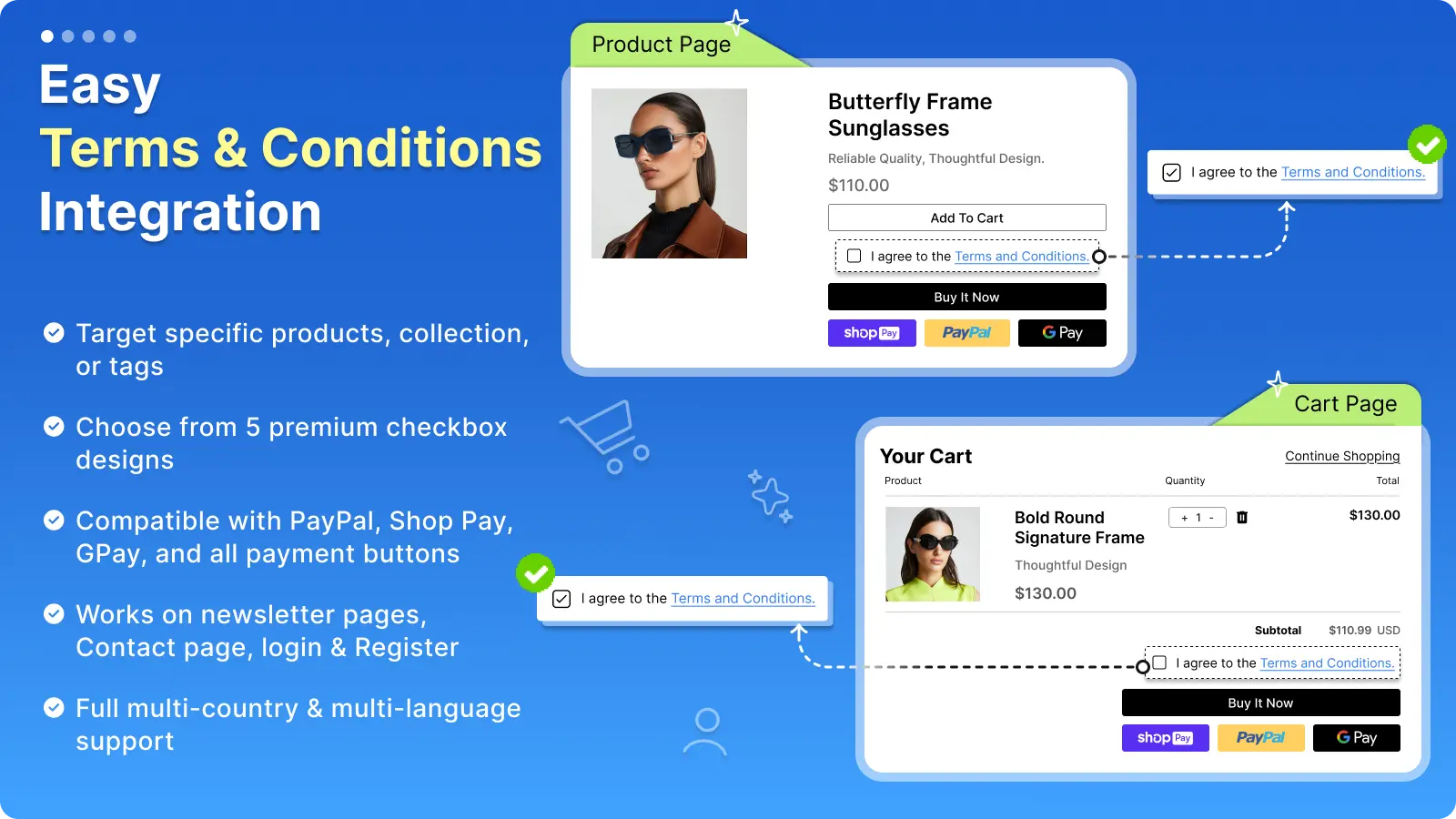
Add the checkbox wherever the order starts: cart page, slide cart or next to Buy it now.
Locks express checkout
PayPal, Apple Pay, Shop Pay and Google Pay buttons wait for the checkbox.
Only on the products that need it
Target specific products, collections or tags, like custom orders or final-sale items.
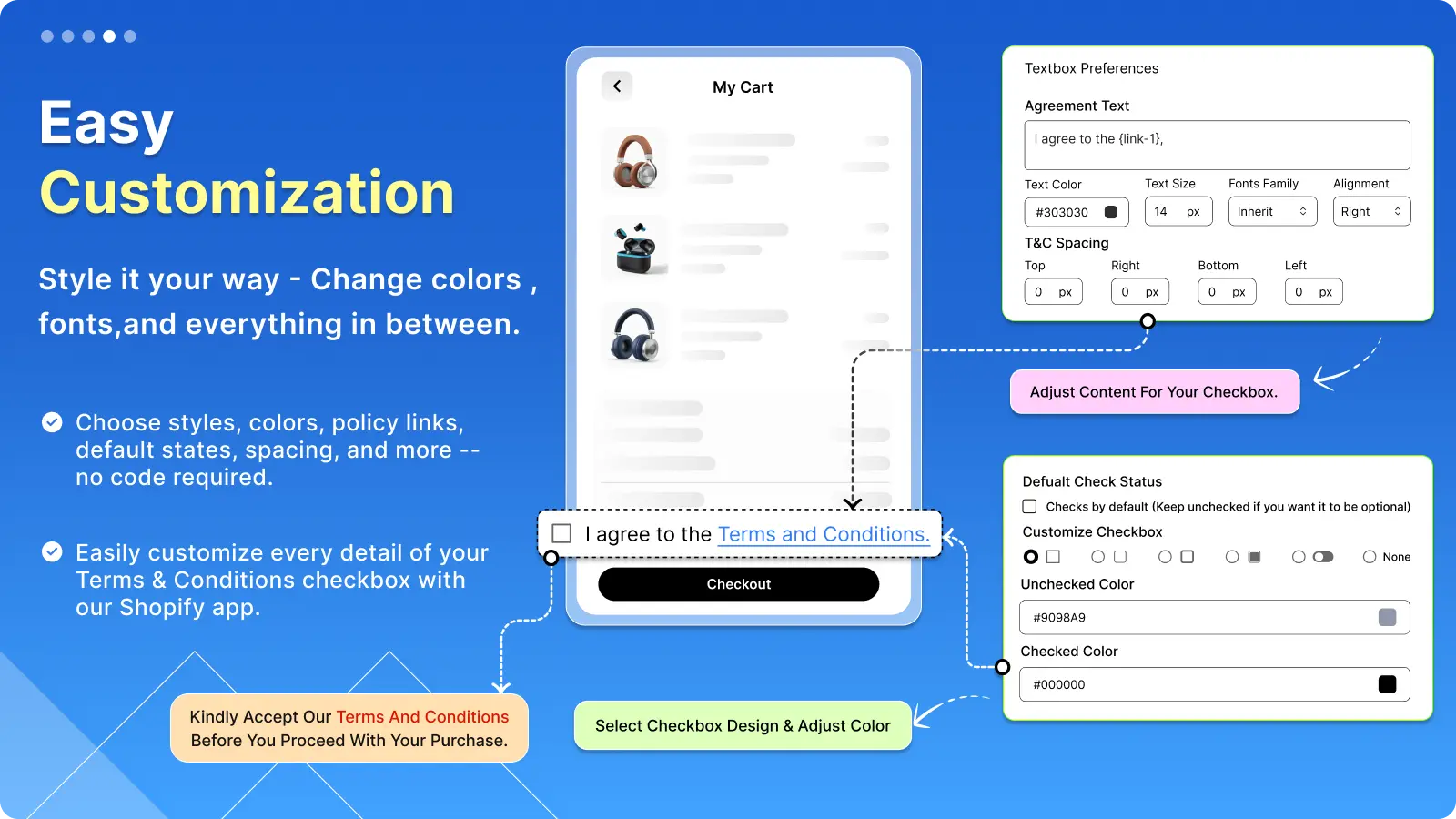
Five checkbox designs
Change the text, links, colors, font and spacing to match your store.
Multi-language and multi-country
Show the agreement in each shopper’s language with rules per country.
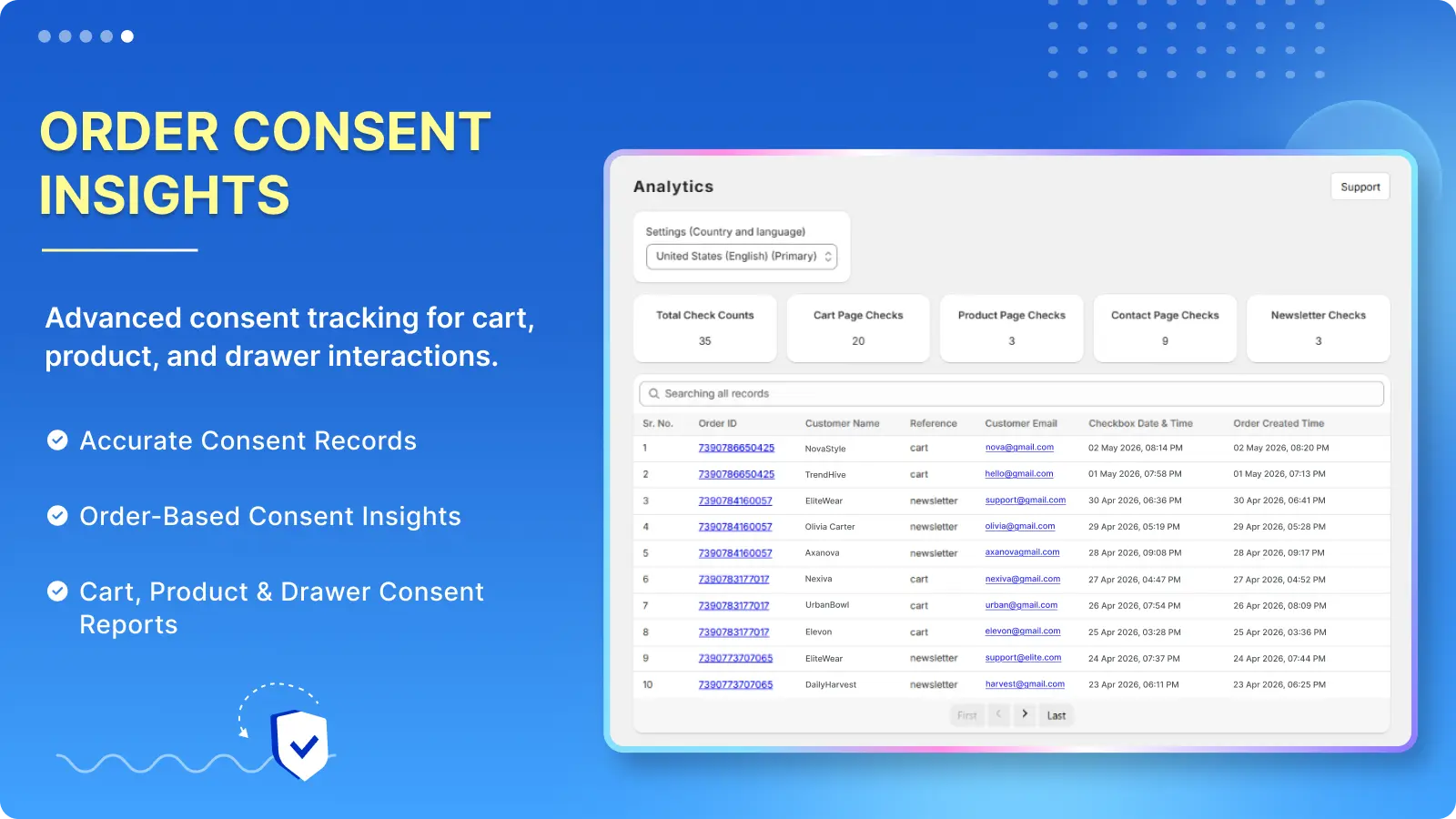
Consent records
See which orders accepted the terms on cart, product, contact and newsletter forms.
See where the checkbox goes
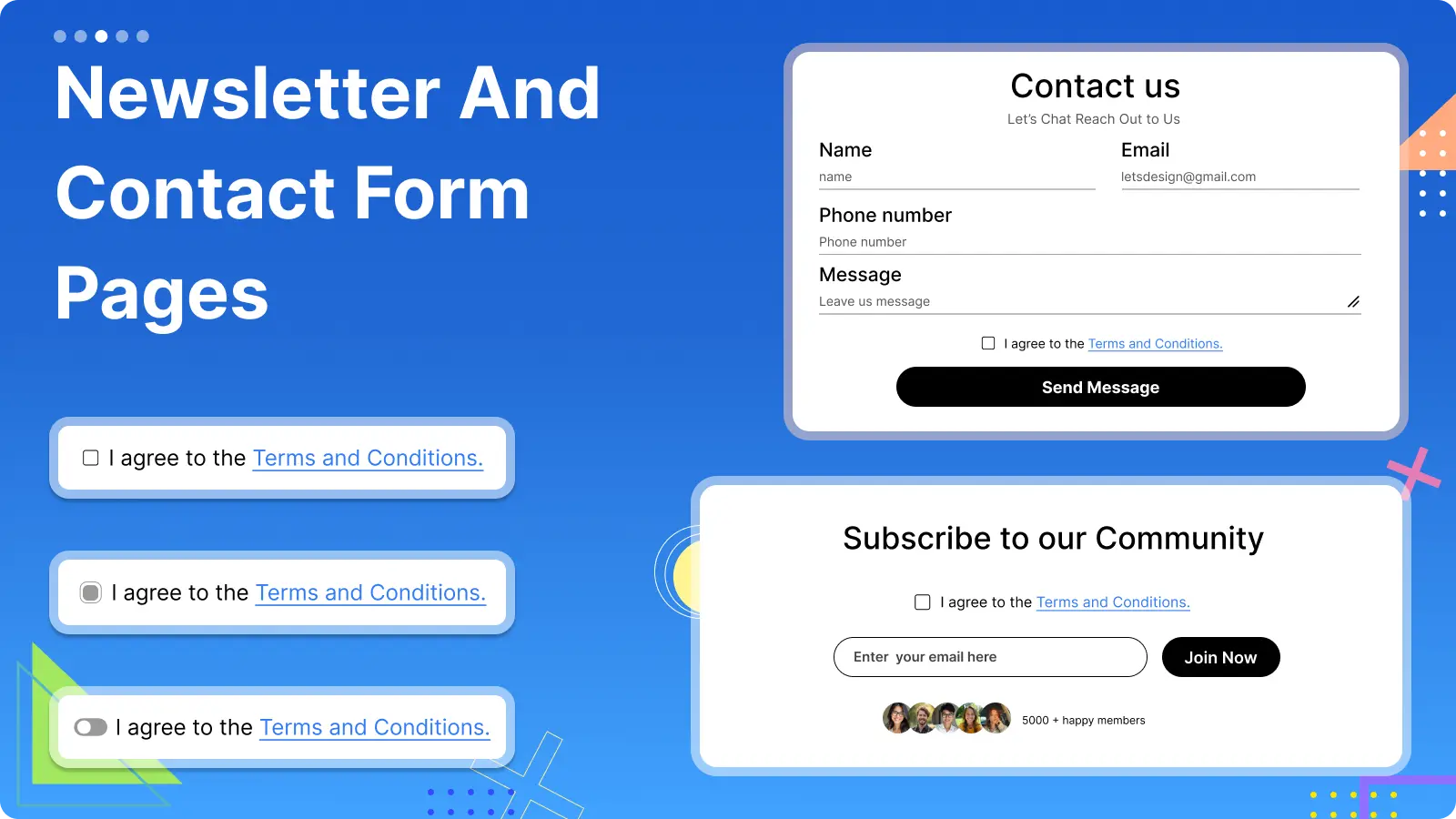

When you need proof the customer agreed
A ticked box before payment helps with chargebacks, refund disputes and legal terms you need customers to accept.
Set up in a few minutes
No code, no theme edits. If you get stuck, our team will set it up for you over chat.
Install TC for free
From the Shopify App Store. No paid plan.
Turn on the app embed
Enable it in your theme editor and the checkbox appears in your cart.
Write your agreement
Add your text and link to your terms, refund or shipping policy.
Choose where it shows
Cart page, cart drawer, product pages or specific products.
Free for every store
All features, no limits.
Free
For every Shopify store
- Checkbox on cart, drawer and product page
- Works with PayPal, Shop Pay and Google Pay
- Product, collection and tag targeting
- Custom text, links and styles
- Multi-language support
TC Term and Condition Checkbox is free on the Shopify App Store.
Rated 4.8 out of 5 by 130 merchants
From the reviews on the Shopify App Store.
Dev was patient, professional, knowledgeable, and very quick to help.
Excellent support! Needed help finding where terms had been accepted and got it sorted.
Very easy to set up and use on the primary store and cart.
Terms and conditions checkbox questions
How do I add a terms and conditions checkbox to my Shopify cart?
Install TC from the Shopify App Store and turn on the app embed in your theme editor. The checkbox appears above the checkout button on your cart page and cart drawer. Change the text and link from the app.
Does it stop the Buy it now and PayPal buttons?
Yes. Express checkout buttons like PayPal, Shop Pay and Google Pay stay locked until the shopper ticks the box.
Can I add the checkbox to the Shopify checkout page?
Shopify only lets apps change checkout on Shopify Plus. TC covers the cart, cart drawer and product page, which is where every order starts. Plus stores can add terms at checkout with our AVP app’s Plus plan.
Can I show it only for certain products?
Yes. Target specific products, collections or tags, so the checkbox only appears when those items are in the cart.
Can I see which customers agreed?
Yes. The app records consent from the cart, product, contact and newsletter forms, so you can look up an order later.
Is the app free?
Yes. TC Term and Condition Checkbox is free for every store.
More apps from GM Infotech
 Age Verification Popup
An 18+ or 21+ age check that fits your brand, with date of birth, checkbox or one-tap confirm.
Age Verification Popup
An 18+ or 21+ age check that fits your brand, with date of birth, checkbox or one-tap confirm.
 Slide Cart Drawer & Upsell
A slide cart with a free shipping bar, upsells and bundles that lifts average order value.
Slide Cart Drawer & Upsell
A slide cart with a free shipping bar, upsells and bundles that lifts average order value.
 Coming Soon Page
A coming soon or maintenance page with a countdown and email capture, scheduled to open on its own.
Coming Soon Page
A coming soon or maintenance page with a countdown and email capture, scheduled to open on its own.
Get a yes before every order
Install TC for free and have your terms checkbox live in a few minutes.